
Why turning YouTube videos into blog posts is a smart content strategy
Video content is exploding. YouTube processes over 500 hours of new video every single minute. But here’s the catch: not everyone consumes content the same way. Studies consistently show that over 70% of internet users still prefer reading articles over watching videos when they want to learn something new.
That creates a massive opportunity. A well-made YouTube video is already full of valuable information, structured explanations, and researched insights. All of that knowledge is trapped inside an audio-visual format that search engines struggle to fully index.
When you convert that video into a blog post, you:
- Make the content accessible to readers who prefer text
- Create an SEO-indexable page that can rank for relevant keywords
- Repurpose existing content without starting from scratch
- Build a library of articles without spending hours writing
- Reach audiences on different platforms simultaneously
Blog posts get 3.5x more organic traffic than video-only pages. Text content still dominates search results
The old way vs the Gizmozo way
Before AI tools existed, converting a YouTube video into a blog post was genuinely painful. You would watch the video once through to understand it, then again while manually typing out key points. Then you would have to structure it, add transitions, write an introduction, write a conclusion- easily a 3-4 hour project for a single video.
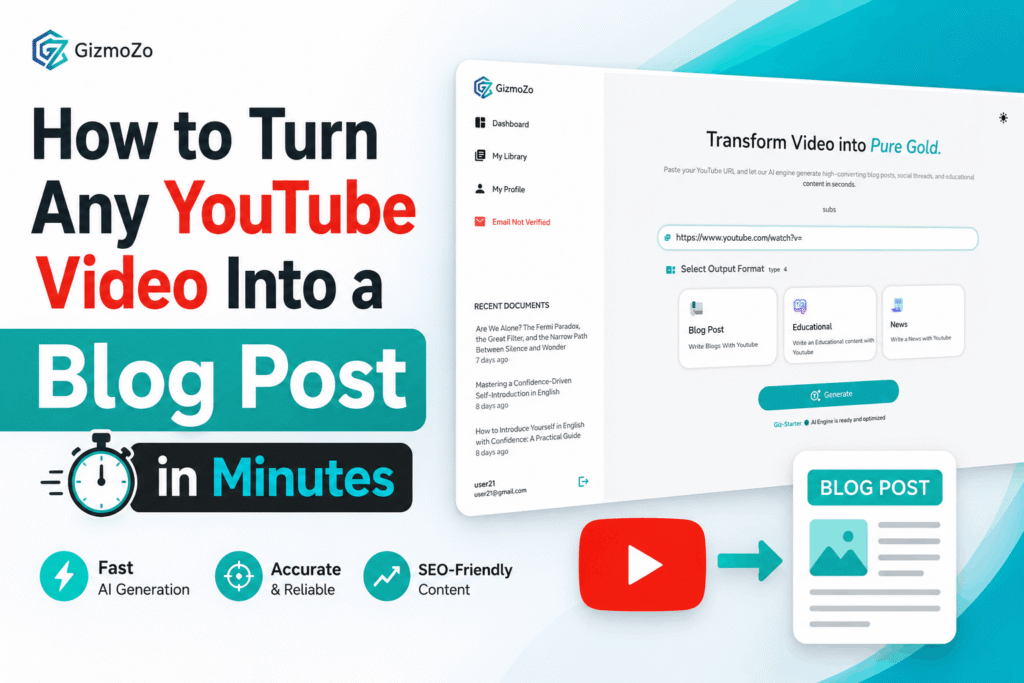
Gizmozo AI eliminates that entire workflow. Instead of watching and transcribing, you paste the YouTube URL and the platform handles everything, extracting the transcript, processing the content with AI, and generating a fully structured blog post in under a minute.
Step-by-step: how to convert a YouTube video to a blog post with Gizmozo
- Find your YouTube video
Choose any YouTube video with spoken content: tutorials, interviews, explainers, podcasts, lectures, product reviews, or news coverage, all of which work perfectly. Copy the full URL from the browser bar or the share button.
2. Paste the URL into Gizmozo
Open Gizmozo and paste your YouTube URL into the input field. The platform automatically detects the video and begins extracting the transcript in real time. No manual uploading, no file conversion just the URL.
3. Let the AI extract the transcript
Gizmozo pulls the full transcript from the video with high accuracy. This forms the raw source material; every word spoken in the video is captured and prepared for the next step.
4. Select “Blog Post” as your output format
Gizmozo supports multiple content formats. Choose the blog post option, and the AI processes the transcript into a structured article complete with an introduction, organized sections, subheadings, and a conclusion.
5. Copy, edit, and publish
Your blog post is ready to copy instantly. Paste it into WordPress, Webflow, Ghost, or any CMS. Add your images, tweak the tone if needed, and publish. The entire process takes minutes, not hours.
Pro tip
Always do a quick read-through before publishing. AI-generated posts are accurate and well-structured, but adding a personal anecdote or updating a statistic with your own research can make the post rank even better by adding genuine original value.
What types of YouTube videos work best?
Almost any video with spoken content can be converted into a strong blog post. The best results typically come from:
- Tutorial and how-to videos — the step-by-step structure translates perfectly into article format
- Interview and podcast content — natural Q&A flow creates engaging, readable content
- Educational explainers — dense informational content becomes well-organized articles
- Product reviews — pros and cons structure converts cleanly into review articles
- News and commentary — recent events coverage becomes timely SEO content
- Conference talks and webinars — expert insights turn into thought leadership pieces
Why does Gizmozo produce better blog posts than copying transcripts manually?
A raw YouTube transcript is not a blog post. If you have ever exported a YouTube auto-generated transcript, you know what you get: a wall of unformatted text with no punctuation, no paragraphs, and no structure. It is almost unreadable.
Gizmozo does not just dump the transcript. It processes the content intelligently, identifying key themes, restructuring the information into logical sections, adding natural flow between ideas, and producing an article that reads like it was written by a human writer, not transcribed from audio.
The result is a publish-ready blog post, not a cleanup project.
How content creators are using this workflow to scale
YouTubers with large back-catalogs are using Gizmozo to turn years of video content into an instant blog library. Marketing teams are converting competitor videos and industry expert talks into research-backed articles. SEO agencies are processing hundreds of videos into keyword-targeted content for their clients.
The common thread is speed. Content that used to take a full workday now takes minutes. That means more content, more consistently, with less effort.
Ready to turn your first YouTube video into a blog post?
Gizmozo is free to get started. Paste any YouTube URL and have a full blog post ready in under a minute